
0:00
Landing page viewed
1:12
Driver details page viewed
3:40
Vehicle details page viewed
6:55
Session ended
Digital & CX
Page analytics tell you which step people left on. ForMotiv shows you the field, the time spent, the error and the edit that came right before it.
Field leveltime spent, errors, edits and drop-off on every question
In the momentrescue, deflect or route while the visitor is still there
Beyond page analytics
The same abandoned quote, twice. One view counts page loads. The other reads how each field was completed, so the fix is obvious.
Landing page viewed
Driver details page viewed
Vehicle details page viewed
Session ended
Driver details completed with steady, confident typing
VIN field: three paste attempts, two format errors
Switches to year / make / model, scrolls the model list for 48 seconds
Annual mileage: types, deletes and retypes, long pause
Leaves from the mileage field on mobile
Friction analysis
Switch the metric and pick a field. ForMotiv compares people who finished with people who left, so you see which friction actually drives drop-off and which is just noise.
Behaviors and trends
ForMotiv tracks behavior on every field week over week, by device, channel and segment, so you can see the effect of a release within days instead of waiting for conversion to move.
Here, a VIN scanner shipped in week 7. Time spent on the vehicle step fell by half on mobile and the drop-off that followed it went with it.
Act in the moment
The same behavioral read that powers your analytics also returns in real time, so your site, chat and contact center can respond while the session is still open.
Spot a good applicant about to leave and nudge them to convert in the moment, with help or a simpler path.
Policyholders about to call for servicing help get a guided fix or chat first.
Send high-intent shoppers who buy best with help to chat or a licensed rep, and leave confident ones alone.
ForMotiv Console for product teams
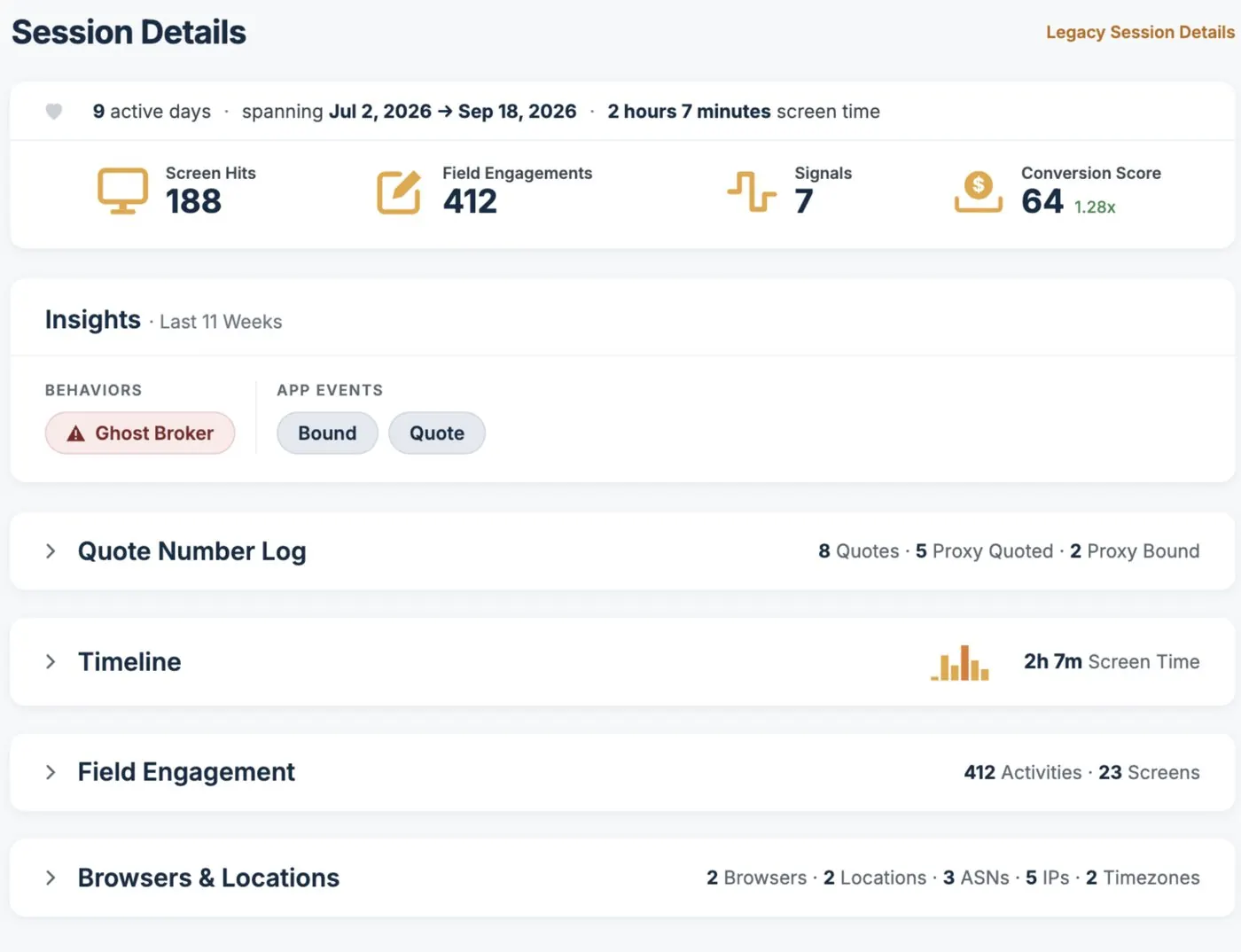
Product and digital teams use the Console offline to review sessions, compare segments and export findings for the next sprint.
Screen hits, field engagements and screen time per session
Quote, bind and agentic-traffic trends by product, state and channel
Agent portal friction, for teams supporting agents and agencies
Exports for product analytics and A/B test readouts
Use cases for Digital & CX
Pick the problem you’re closest to. Every one of them runs on the same tag and the same behavioral data.
How real applicants, policyholders and agents move through every screen.
Field-level time spent, errors and edits, ranked by their effect on drop-off.
Measure releases and experiments by behavior, not just conversion.
Where quote-to-bind leaks, by product, state, device and channel.
Keep routine servicing digital with a guided fix at the right moment.
Remove the friction that slows agents and agencies down in your portal.
FAQ
How does ForMotiv help digital and CX teams?
ForMotiv shows exactly where applicants, customers and agents struggle in digital journeys, and why, using field-level behavioral analytics rather than page-level drop-off reports.
What is friction analysis?
Friction analysis identifies the specific fields and steps where people slow down, make repeated corrections, leave and return, or abandon, so teams can fix the cause instead of guessing.
Can ForMotiv tell good customers from risky ones in UX data?
Yes. Because the same data carries intent and risk signals, CX teams can focus on fixing friction for genuine, high-intent customers rather than optimizing for bots or bad actors.
How do CX teams track trends over time?
Teams monitor behavioral trends after releases and changes to see whether a fix reduced friction, and spot new problems early.
We’ll map the fields and steps where your applicants slow down, error and leave.
Leakage, fraud, conversion or agent oversight, on the line and channel you care about most.
A walkthrough of the signals, features and scores for journeys like yours.
Where the tag goes, what the API returns and which systems act on it.